
 AllAnalytics and research

 26 December, 2025
 Build an App Like Uber: Step-by-Step Features, Cost Drivers, and Timeline
Apps like Uber have fundamentally changed how people move, letting users find, book, and pay for rides or rentals instantly through their phones. For businesses entering the mobility market, whether in ride-hailing, e-bike and scooter rentals, or other shared transport services, launching an app with similar functionality is often a core goal.
The shared mobility industry continues to grow quickly. The global shared mobility market is projected to exceed $675 billion by 2030, driven by demand for on-demand transport options and urbanization.
Meanwhile, the global micromobility segment, covering services like e-scooter and e-bike sharing, is expected to grow to over $204 billion by 2033 as cities adopt more sustainable transport models.
While building an app like Uber might still sound daunting, suggesting large development teams and long timelines, the real challenge is choosing the right technology path, identifying the core features users expect, and understanding how the app will support your business operations efficiently.
This guide breaks down how to build an app like Uber step by step, including what components you need, how to prioritize features, the trade-offs between custom builds and platform solutions, and tips to speed up time to market without compromising quality.
Key Takeaways
- Define your mobility business model early to guide features, revenue streams, and operational workflows for a successful Uber-like app.
- Core features for riders, admins, and operators ensure smooth vehicle booking, real-time tracking, payments, and fleet management efficiency.
- Choosing the right technology approach impacts launch speed, costs, scalability, and long-term maintenance.
- Designing intuitive UX and seamless payment flows reduces downtime, improves adoption, and enhances operational efficiency across all user types.
- Testing, soft launches, and continuous optimization help maintain service quality, maximize fleet utilization, and support sustainable business growth.
What Does an “Uber-Like App” Mean in Shared Mobility?
An Uber-like app is a real-time, multi-layered system that connects users, vehicles, operators, and payments simultaneously. Every action, from vehicle discovery to trip completion, depends on live data and automated workflows.
For shared mobility and rental businesses, even small delays in GPS updates, battery data, or payment confirmation can lead to:
- Poor user experience
- Incorrect vehicle availability
- Increased downtime and revenue loss
At scale, an Uber-style app must function as an operational control system, not just a booking interface.
Step-by-Step Flow of an Uber-Style App
A typical Uber-like app follows this operational sequence:
- User requests a ride or vehicle via the app
- The system identifies nearby available vehicles using telematics data
- Matching engine assigns the optimal vehicle based on rules like distance, battery level, or zone
- Trip starts and is tracked live, updating location, duration, and pricing
- Payment is processed automatically once the trip ends
- Operational data syncs to the admin dashboard for reporting and analysis
Real-time matching is central to this model.
Core Components Working in the Background
Behind the user-facing app, multiple systems operate together:
- GPS and mapping services for live tracking and routing
- Backend servers to process ride requests, pricing logic, and trip status
- Payment gateways for instant fare collection and refunds
- Fleet management system to monitor vehicle health, availability, and maintenance
- Admin dashboard for operators to control pricing, zones, and performance
Without these systems working together, fleet-based businesses struggle to scale.
Also Read: Geolocation Applications in Mobility- Features, Tools & Future
A Step-by-Step Guide to Building an App Like Uber
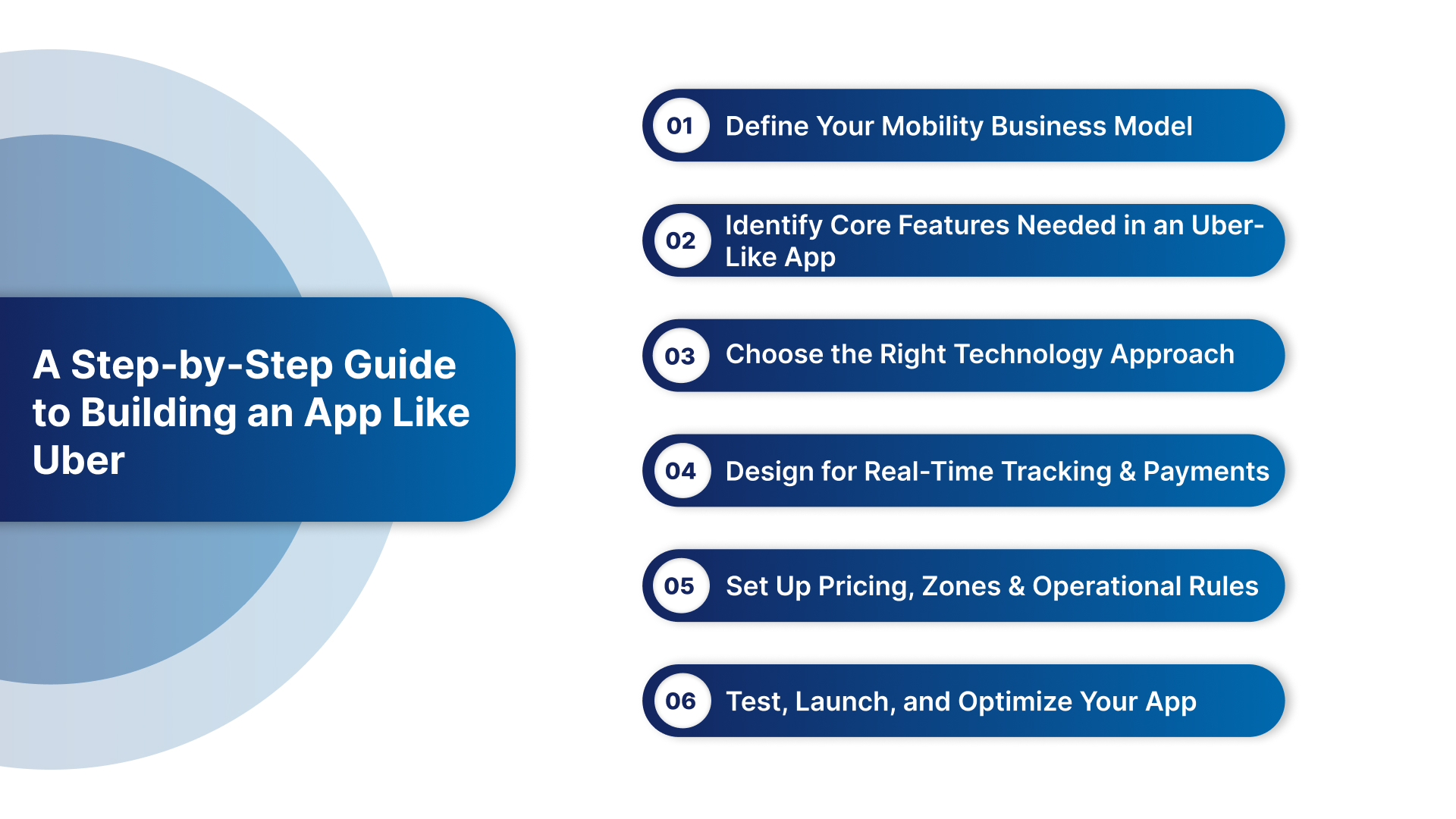
Below are the crucial steps required to build an Uber like App:
Step 1: Define Your Mobility Business Model
Before you start building an app like Uber, the most important decision is the business model you plan to operate. Your business model influences every aspect of your app, from the features you prioritize to the pricing strategies and operational workflows you’ll implement.
Different mobility models serve different user needs and operational realities. Choosing the right one early will save time, reduce development costs, and help you target the right audience.
Common Business Models
Here are the primary models businesses use when launching Uber-style mobility apps:
1. Ride-Hailing
This is the classic Uber model. Users book a ride from point A to point B with a driver behind the wheel.
- Revenue streams: Trip commissions, surge pricing, service fees
- Best for: Urban transport, taxi replacements, on-demand chauffeur services
- Key challenge: Managing drivers, compliance, and pricing dynamics
2. Self-Drive Rentals
Users reserve a vehicle (car, bike, scooter) and drive it themselves for a predetermined period.
- Revenue streams: Hourly/daily fees, subscription plans
- Best for: Tourists, short-term rentals, city explorers
- Key challenge: Ensuring vehicle return, maintaining fleet health
3. Shared Micro-Mobility
This model focuses on short trips using e-bikes, e-scooters, or similar lightweight vehicles. End users unlock vehicles via the app, ride, and drop them off within designated zones.
- Revenue streams: Per-minute billing, unlock fees, promotions
- Best for: Urban areas, campuses, last-mile transport
- Key challenge: Rebalancing fleet and battery management
4. Subscription-Based Vehicle Access
Instead of per-ride fees, users pay a recurring subscription for a set number of hours, discounts, or priority access.
- Revenue streams: Monthly/annual subscription plans
- Best for: Frequent users and communities (e.g., corporate campuses)
- Key challenge: Predicting usage patterns and pricing tiers
Choosing the Right Model for Your App
To pick the right model, ask yourself:
- Who is your primary customer?
Commuters, tourists, campus residents, delivery personnel?
- What problem does your service solve?
Convenience, affordability, environmental sustainability?
- What’s your desired revenue structure?
Pay-per-use vs subscription vs hybrid?
- Do you need on-demand drivers or self-service vehicles?
This distinction affects your operations and legal compliance.
Different models can be combined or evolved. For example, a shared e-scooter service can add subscription tiers, or a ride-hailing app might introduce fixed-route pricing options.
Step 2: Identify Core Features Needed in an Uber-Like App
Next, you need to define the core features that your Uber-style app must include. These features determine how users interact with your service, how your team manages operations, and how your business generates revenue.
Below, features are grouped by user type to make it easier to plan your build.
Rider App Features (User-Facing)
The rider app is where your customers interact with your service. It must be intuitive, fast, and reliable. Essential features include:
- User registration & login: Sign-up with email, phone number, or social accounts
- Vehicle browse & availability: See nearby vehicles with location and status
- Real-time tracking: Live view of vehicle approach and ride progress
- Booking & unlock: Reserve and unlock vehicles directly in the app
- Payments: Secure in-app payment options (cards, wallets, UPI)
- Trip history & receipts: Past rides and invoices for transparency
- Push notifications: Alerts for ride status, promotions, and updates
- In-app support: Help, FAQs, and live chat
These elements form the minimum viable experience most users expect in any Uber-like mobility service.
Admin Dashboard Features (Operator Controls)
The admin dashboard gives you end-to-end fleet visibility and control, critical for managing vehicles, pricing, users, and analytics. Key features include:
- Fleet monitoring: View vehicle status, location, and health at a glance
- User & payment management: Track riders, transactions, subscriptions
- Pricing & promotions: Set dynamic pricing, discounts, and promo codes
- Zone & geofencing tools: Define service areas, no-ride zones, and parking spots
- Reporting & analytics: Usage trends, revenue reports, peak demand insights
- Role-based access: Custom permissions for team members
This dashboard is the nerve center of your business operations. It empowers quicker decisions and reduces manual coordination.
Operator App Features (On-Ground Workflows)
For field teams maintaining your fleet, a dedicated operator app improves efficiency and simplifies task tracking. Key features include:
- Maintenance workflows: Log and update service status
- Charging & battery tasks: Track charge levels and schedule swaps
- Vehicle inspections: Mark issues and trigger repairs
- Rebalancing assignments: Move vehicles to high-demand zones
- Task notifications: Alerts for assigned jobs and deadlines
This app keeps your field operations synchronized with rider demand and fleet performance goals.
Step 3: Choose the Right Technology Approach
Once you’ve defined the core features, the next critical decision is how you’ll build your Uber-like app. This choice directly impacts development cost, launch timelines, scalability, and long-term maintenance.
For most mobility businesses, the goal is to launch fast, validate the model, and scale without technical bottlenecks.
Some common technology approaches include:
| Approach | Description | Pros | Cons | Suitable For |
|---|---|---|---|---|
| Building from Scratch | Involves hiring a full tech team to design, develop, test, and maintain the platform |
|
|
Well-funded companies with strong technical teams |
| Using a White-Label Mobility Platform | Provides a ready-built system that you can brand and configure for your business |
|
|
Most rental, ride-sharing, and micro-mobility businesses |
Key Technology Components Your Platform Must Support
Regardless of approach, your Uber-like app must handle:
- Real-time location tracking and maps
- Scalable backend infrastructure
- Secure payment gateways
- Role-based access (riders, admins, operators)
- Analytics and reporting systems
- Cloud hosting and data security compliance
Missing any of these can lead to operational issues as your user base grows.
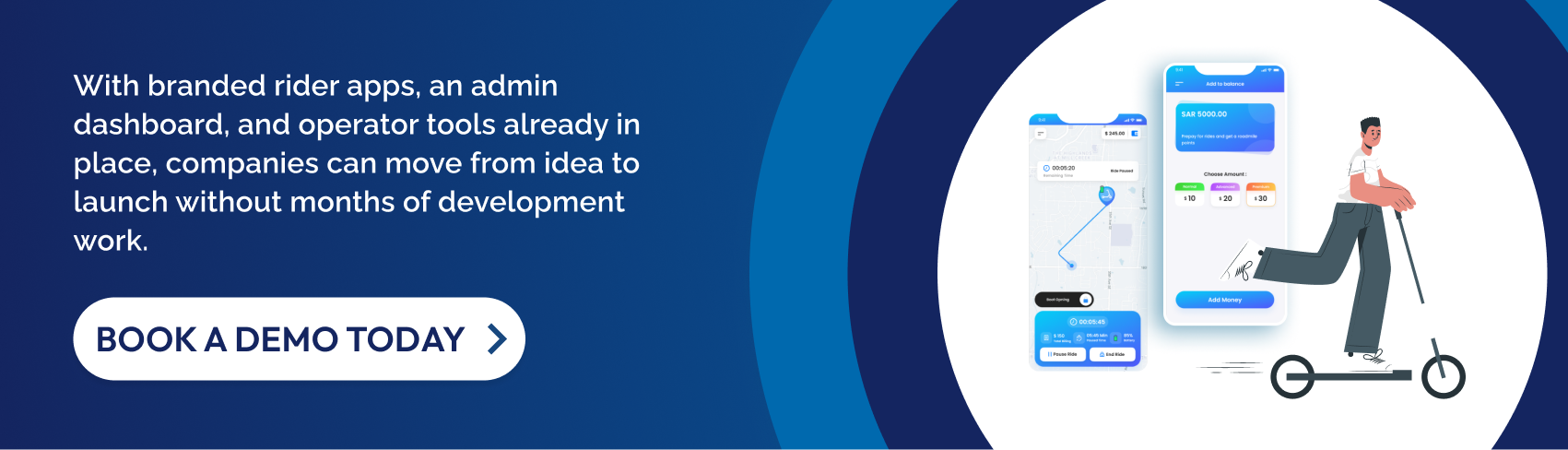
EazyRide removes the complexity of technology decisions by offering a white-label, ready-to-launch mobility platform. Businesses can focus on operations and growth instead of building and maintaining software infrastructure.
Step 4: Design for Real-Time Tracking and Payments
After choosing the right technology approach, the next step is designing a clear, functional user experience. In an Uber-like mobility app, UX directly affects adoption, daily usage, and operational efficiency. If the app feels confusing or slow, users drop off, and operators struggle to manage fleets effectively.
Good UX design focuses on simplicity, speed, and task clarity, especially in high-frequency use cases like vehicle booking and maintenance workflows.
UX Principles for Rider Apps
Here are some UX principles for rider apps:
- Minimal onboarding: Short sign-up flow with clear permissions
- Map-first design: Vehicle availability should be visible immediately
- Clear CTAs: Obvious actions for “Start Ride,” “End Ride,” and “Pay”
- Real-time feedback: Loading states, ride status, and alerts
- Error clarity: Simple explanations for failed payments or ride issues
A clean rider UX reduces support requests and improves repeat usage, especially important for rental and shared mobility services.
UX Principles for Admin Dashboards
Here are some admin UX principles:
- At-a-glance dashboards: Fleet status, active trips, and alerts visible instantly
- Logical navigation: Vehicles, users, pricing, and reports clearly separated
- Quick actions: Change pricing, disable vehicles, or assign tasks in seconds
- Data clarity: Charts and tables that highlight trends, not raw data overload
An intuitive admin interface helps teams make faster decisions without relying on technical support.
UX Considerations for Operator Apps
Here are some UX considerations for operator apps:
- Simple task lists: Clear instructions for charging, repairs, and rebalancing
- Low-tap workflows: Complete tasks with minimal screen interaction
- Offline tolerance: Basic functionality even with weak connectivity
- Visual confirmations: Status updates, photos, and checklists
When operator UX is well designed, vehicles return to service faster, and downtime is reduced.
Step 5: Set Up Pricing, Zones, and Operational Rules
Payments and pricing are at the core of any Uber-style mobility app. A well-designed revenue setup ensures smooth transactions for users while giving operators flexibility to test pricing strategies, run promotions, and scale profitably across locations.
At this stage, the goal is to make payments effortless for riders and pricing easy to manage for operators.
Essential Payment Capabilities
Riders expect fast, reliable, and secure payments. Any friction at checkout can lead to abandoned rides and poor user experience.
- Multiple payment options: Credit/debit cards, digital wallets, UPI, and local methods
- Auto billing: Automatic fare calculation and charging at ride end
- Secure transactions: PCI-compliant payment processing
- Receipts & invoices: Instant digital receipts for transparency
- Refund handling: Easy processing for failed or disputed rides
For operators, automated payments reduce manual reconciliation and accounting errors.
Common Pricing Models
Uber-like apps support multiple pricing structures depending on the business model defined earlier.
- Pay-per-ride: Time-based or distance-based fares
- Unlock fees: Fixed cost to start a ride
- Subscription plans: Monthly or weekly passes for frequent users
- Zone-based pricing: Different rates by location or service area
- Dynamic pricing: Adjust rates during peak demand periods
The ability to mix and test pricing models is essential for optimizing revenue as demand patterns change.
Promotions, Discounts, and Growth Incentives
Promotions help attract users and drive repeat usage, especially during launch or expansion phases.
- Promo codes and referral discounts
- First-ride offers for new users
- Location-based or time-limited discounts
- Subscription or loyalty incentives
These tools should be configurable from the admin dashboard without requiring technical changes.
Step 6: Test, Launch, and Optimize Your App
After setting up features, UX, and pricing, the final step is bringing your Uber-style app to market and preparing it for growth. A structured launch process helps reduce risk, catch operational issues early, and ensure your fleet and teams are ready to scale.
This phase is about testing, learning, and optimizing before expanding further.
What to Test Before Launch
Before opening your app to the public, thorough testing is essential to avoid service disruptions.
- End-to-end ride flow: From booking to payment completion
- Real-time tracking accuracy: Vehicle location and status updates
- Payment success rates: Transactions, refunds, and edge cases
- Operator workflows: Maintenance, charging, and rebalancing tasks
- Admin controls: Pricing updates, zone management, and reporting
Running pilot launches in limited zones helps identify issues without affecting your entire operation.
Soft Launch and Early Feedback
A soft launch allows you to release the app to a small group of users or a single location.
- Collect real user feedback quickly
- Observe demand patterns and peak usage
- Fine-tune pricing and promotions
- Identify operational bottlenecks
Early insights help you make data-driven improvements before wider expansion.
Ongoing Optimization and Performance Monitoring
Post-launch success depends on continuous improvement. Operators should regularly:
- Monitor fleet utilization and downtime
- Review rider feedback and support tickets
- Analyse revenue and cost trends
- Update features and pricing as usage evolves
This ongoing optimization ensures long-term sustainability and profitability.
Common Challenges When Building an Uber-Like App
Building an Uber-like app goes beyond designing screens and launching a mobile application. Mobility platforms involve real-time operations, on-ground coordination, and scalable infrastructure. Many businesses underestimate these complexities, which leads to delays, cost overruns, or operational inefficiencies after launch.
Below are the most common challenges businesses face when building an Uber-style mobility app, and why planning for them early is critical.
- High Development and Maintenance Costs: Custom development often appears manageable at the idea stage, but costs escalate quickly once real-world requirements are added. What starts as a one-time build quickly becomes a long-term technical investment.
- Long Time-to-Market: Mobility apps require multiple components to work together seamlessly, such as rider apps, admin dashboards, operator tools, and backend systems. A delayed launch can mean missing market opportunities or losing early-mover advantage in a location.
- Real-Time Tracking and System Reliability: One of the hardest technical challenges is maintaining accurate, real-time data across users, vehicles, and operators. Even small reliability issues can damage user trust and disrupt daily operations.
- Managing Fleet Operations at Scale: As fleets grow, operational complexity increases rapidly. Without centralized systems, teams rely on manual coordination, which doesn’t scale.
Also Read: Logistics Mobile Application: Types, Features, Benefits & How to Build
How EazyRide Helps You Build an Uber-Like App Faster
Building an Uber-like mobility app from scratch can take months of development, testing, and iteration. EazyRide simplifies this process by offering a ready-to-use, white-label mobility platform that lets businesses launch faster while retaining full brand control.
Instead of managing multiple vendors or building complex systems in-house, EazyRide provides all the essential components needed to run a scalable mobility operation from day one.
White-Label Rider Apps (iOS & Android)
EazyRide provides fully built rider apps for both iOS and Android that businesses can launch under their own brand.
These apps allow users to:
- Locate nearby vehicles in real time
- Start and end rides seamlessly
- Make secure in-app payments
- View trip history and receipts
- Receive alerts and notifications
Because the core functionality is already tested and optimized, businesses avoid lengthy development cycles and can focus on marketing and user acquisition.
Centralized Admin Dashboard and Operator Tools
Managing an Uber-like service requires full visibility across vehicles, users, and daily operations. EazyRide’s centralized admin dashboard acts as the control center for your business.
From a single interface, operators can:
- Monitor fleet status and live trips
- Manage users, payments, and subscriptions
- Configure pricing, promotions, and zones
- Access performance and revenue reports
In addition, dedicated operator tools help on-ground teams handle maintenance, charging, inspections, and rebalancing efficiently, reducing vehicle downtime.
Real-Time Tracking, Pricing, Zones, and Reporting
EazyRide is built to handle the real-time demands of mobility platforms.
Key capabilities include:
- Live GPS tracking of vehicles and trips
- Flexible pricing models and subscriptions
- Geofencing tools for ride, parking, and no-go zones
- Data-driven reports on usage, demand, and performance
These tools help businesses make faster operational decisions and adapt quickly as demand changes.
Quick Setup and Support for Scaling Fleets
One of the biggest advantages of EazyRide is speed to launch. Most businesses can configure their apps, pricing, and zones and go live within weeks, not months.
As the business grows, EazyRide supports:
- Multi-location and multi-city operations
- Fleet expansion without system rebuilds
- Ongoing platform updates and technical support
This allows operators to scale confidently while maintaining operational consistency.

Conclusion
Building an Uber-like mobility app involves careful planning, from defining your business model and identifying core features to designing intuitive user experiences and setting up payments, pricing, and revenue models. Launching successfully also requires testing workflows, monitoring operations, and preparing for scalable growth.
For most businesses, platform-based approaches like EazyRide are far more practical than building from scratch. They reduce development time, lower costs, and provide a tested, ready-to-launch system with rider apps, admin dashboards, operator tools, and real-time tracking, all under your brand.
Take the next step: Book a demo to launch your Uber-style mobility service faster and more efficiently.
FAQs
1. How much does it cost to build an app like Uber?
Costs vary depending on complexity and approach. Custom development can run be expensive, while using a white-label platform like EazyRide significantly reduces upfront investment.
2. How long does it take to launch an Uber-like mobility app?
Building from scratch can take 9–18 months, but a white-label solution allows businesses to launch within a few weeks.
3. Do I need a technical team to build a mobility app?
Not necessarily. White-label platforms like EazyRide provide pre-built rider apps, admin dashboards, and operator tools, reducing the need for an in-house development team.
4. Can Uber-like apps be used for e-bike or scooter rentals?
Yes. Modern mobility platforms support ride-hailing, e-bike rentals, e-scooters, subscriptions, and zone-based pricing all from a single system.
5. Is a white-label mobility platform better than custom development?
For most businesses, yes. White-label platforms allow faster launch, lower costs, built-in scalability, and proven workflows, letting you focus on operations and growth instead of building software from scratch.


